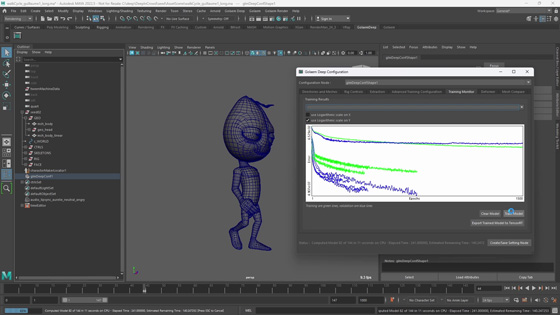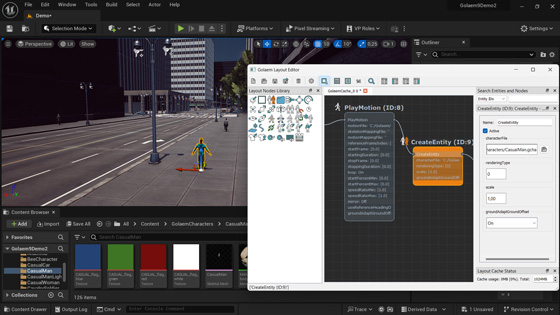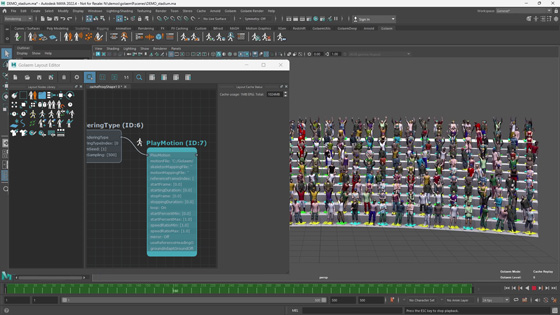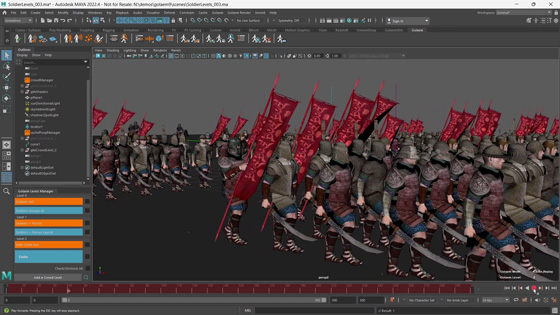
Interview with Mike Romey, Pipeline Supervisor at Zoic Studios
Zoic Studios is an award-winning digital studio involved in producing high-end visual effects and animation for feature films, episodic television, commercials, video games and interactive media. Spanning from visual effects, to live action production and specialty shooting, Zoic Studios’ imprint can be seen on V, CSI: Crime Scene Investigations, Fringe, or True Blood. Zoic Studios has offices in Los Angeles and Vancouver.
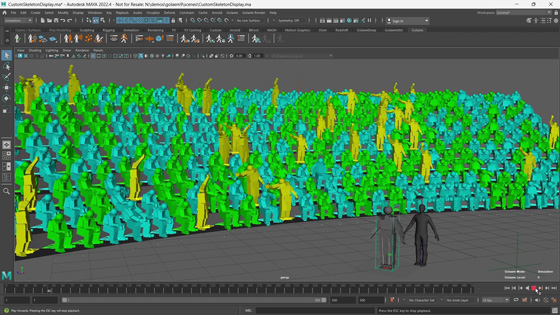
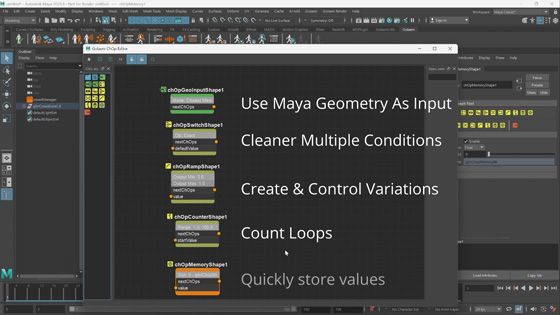
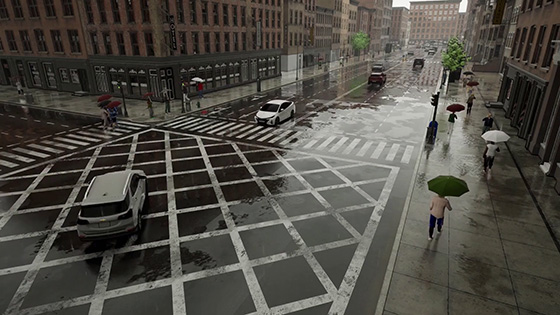
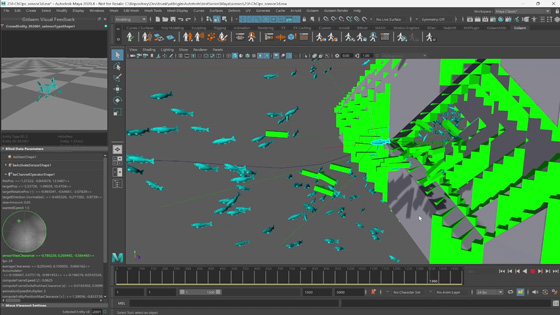
Read Zoic Studios Pipeline Supervisor's interview to learn how Zoic Studios speed up their productions and meet our clients visual and cost expectations with Golaem Crowd!
Read and Write Mental Ray User Data
During the time I worked on the integration of Golaem Crowd with Mental Ray as a shader plugin, I had two recurrent thoughts :
- When I was on the geometry shader, it was something like : “damn this Developper Manual rocks: all is well documented, there are some inspiring samples, some tips… This is a real pleasure to develop stuff for this rendering engine…”
- Then, I had to work on the material shader and it was more something like : “#@%! how the hell am I suppose to do that !!? This is a real nightmare to developp stuff for this rendering engine...”
How to write/read userdata? How to dynamically create a material and call it (if like me, you would expect that mi_call_material would do that, do not even think about it)? Add some silent crashing function calls and weird behaviors to the whole and you almost got it. Now, I better understand why Shader Writer is a real job: it requires a lot of patience, tenacity, courage and puzzle solving skills. Those guys are heroes…
What about internet and forums? Well, too many often for my poor nerves, I felt in this classic situation:
Wisdom of the ancients

Source: http://xkcd.com/979/
Thus, as I now consider myself as an ancient, I feel this need to share my knowledge with the next generations of Mental Ray sorcerer apprentices. Please sons, spead the good word around you and never let another soul wander in the darkness again…
MRay Implementation
In this post, I’ll answer my first question : How to store user data in an object and read/write it in a shader ? In mental ray, arbitrary user data can be attached to any element in the scene, or stand by itself, for usage by a shader. User data can be attached to instances, objects, lights, instance groups… to extend the scene entity with extra data or attributes.
Why would you use them? Well, it could be efficient for varying the look of large numbers of object instances, adding simulation data usable by parallel jobs running in mental ray or sharing huge data between several shaders (e.g. data which could not get through the shading network)…
In my example, I considered two plugins :
- myPluginOne writes data of type myStructData in the hit object (miObject);
- myPluginTwo reads this data and displays it.
|
//------------------------------------------------------------------------- |
As always, any question, improvement suggestion, bug report is welcome and will help me to access perfection and all-wisdom. Finally I’d like to thank the LAMRUG (Los Angeles Mental Ray User Group) which website is a bible and whose owners are prophets!
Golaem Crowd Procedural Rendering & Pipeline
Prologue: for readability reasons, this blog post will be mainly illustrated with examples and code samples specific to Renderman-like renderers. If some of you would like details about other renderers, be my guest to add a comment.
Ok guys, I promise this is the last time we’ll talk about procedural rendering (until the next time)! Last month, we’ve seen how wonderful Golaem Crowd procedural rendering is (see part1 & part2), but as a Pipeline TD, you may ask: “ok, this looks great but how smooth does it go in my studio pipeline?”. Here’s the answer.
As you may know, each rendering engine defines a scene description language and needs every frame of each scene (wherever it comes from) to be translated in this format in order to be rendered. This language is able to describe geometry objects, scenes, lights, cameras…
There is no real standard for those description files, and each rendering engine defines its own. It’s called RIB for Rendeman-like renderers (Renderman, 3delight, Guerilla), Mi for Mental Ray… Obviously, those guys did not think about us when making their software… Not even talking about shader writing! Damn them all!

Here is an example of a RIB file describing a simple scene:
|
# sphere.rib: display a sphere # Display "output.tiff" "framebuffer" "rgba" # Output Format 800 500 1 # Picture Size Projection "perspective" "fov" 40 # Camera Persp # World description WorldBegin Translate 0 -3 26 # Move the viewpoint LightSource "ambientlight" 0 "intensity" 2.5 # Light Sphere 5 -5 5 360 # A sphere WorldEnd |
With MentalRay in Maya (and the other highly-integrated renderers), this file translation step also occurs, but is completely transparent for the user, not to say inaccessible. For example it is not possible to export a mi file without the standalone version of MentalRay.
Golaem Crowd & Scene Description Language
If you do remember well, when dealing with procedural rendering, for each frame, Golaem Crowd exports two files: a simulation cache (including the simulation results) and a scene description file (depending on the chosen rendering engine).
Here is an example of a RIB file exported with Golaem Crowd.
|
# crowdScene.500.rib # # Each line describes a crowd character [parameters] [bounding box] Procedural "DynamicLoad" ["glmCrowdRendermanPlugin" "2 24 0 'SimulationCacheFilePath' 'CrowdAssetManagerFilePath' 'crowdCharacter_0'"] [5.64372 9.0606 -3.07996 8.65929 9.5157 12.9478] Procedural "DynamicLoad" ["glmCrowdRendermanPlugin" "2 24 1 'SimulationCacheFilePath' 'CrowdAssetManagerFilePath' 'crowdCharacter_1'"] [-1.11433 1.46161 -2.4975 7.08014 8.96017 11.6108] … |
That’s it!? Where are the lights, cameras and layout information? Well, as Golaem Crowd is only a matter of crowd simulation, all those data are useless in the RIB it generates. It is no more no less than a sub-set of the final scene (namely the crowd geometry) and then, to be correctly rendered, it needs to be dynamically included in the main RIB scene file (containing the light, cameras and so on):

What is the main advantage of such a mechanism? Well, even if you’re not happy with your lights, shaders or camera traveling, you don’t need to compute you crowd simulation again! Open Maya, tweak the required parameters, export your new scene and let’s render again!
External Rendering
There are two ways to render a scene:
- Internal rendering: press “Render” in Maya and wait for it. With this method no need to export your scene & shaders but it requires a Maya token all along. Not really convenient for heavy renders;
- External rendering: exactly the opposite of the one above. Export your scene from Maya and launch the render outside Maya with your rendering application.
Let’s start with external rendering then. Each rendering engine offers its own way to include sub-scene description file in its main description file: ReadArchive for Renderman, #include for VRay, $include for MentalRay… So, how will our little RIB sphere scene look like with some crowd in it?
|
# sphere.rib: display a sphere and a crowd # # World description |
Depending on your project architecture, you may also need to specify some extra lines to locate the crowd plugins and assets (shaders & textures) directories.
|
# sphere.rib: display a sphere and a crowd # Option "searchpath" "string procedural" ["N:/plugins/:@"] # World description |
As this process should be made for each frame of your animation, I highly recommend you to dust off you scripting skills!
Internal Rendering
If your rendering engine is integrated with Maya, it is “sometimes” possible to dynamically include a 3rd party generated scene description language in the rendering process… Once again, it also depends on your renderer: there are as many ways to do it as there are rendering engines (if not more).
With Renderman Studio, the Pixar guys implemented a RiReadArchive MEL command (equivalent to the ReadArchive RIB command). God bless them! The best way to use it is to call a little MEL procedure in the Pre Shape MEL command of a Maya object (Attribute Editor / Renderman / Manage Attributes… / Pre Shape MEL):
|
global proc readCrowdRendermanCache() { float $currentFrame = `currentTime -q`; float $frameRate = 24; int $pdcNumber = $currentFrame * floor(6000./$frameRate); RiReadArchive ("N:/crowdScene."+ $pdcNumber +".rib"); } |
Bearing in mind that you may also need to locate your assets (in the Renderman Controls / Advanced Tab / Ri Injection Points / Default RiOptions MEL)
|
global proc setCrowdRendermanOptions() { RiOption "searchpath" "string procedural" "N:/plugins/:@"; RiOption "searchpath" "string shader" " N:/shaders/:@"; RiOption "searchpath" "string texture" "N:/textures/:@"; } |
Press Render and enjoy! Of course the rendered geometry is shaded and motion blurred as well!

Notice that, for now, this RiReadArchive command is not available with RendermanForMaya. Thus, as far as we looked at, it seems that there’s no way to procedurally render your crowd directly from Maya with this version of Renderman.
Finally I'd like to thank Roberto Hradec for his great website which inspired me this last part.
Render your crowds on the Cloud
Pixar announced today the availability of their new cloud rendering service called "RenderMan® On Demand™." (see their press release). Developed in collaboration with pioneering cloud services provider GreenButton, this service is now available on Microsoft's Windows® Azure with Linux availability following later in 2012.
The good news is that, as we were lucky enough to beta-test it, Golaem Crowd is readily available with this service! See our complete use case showing how easy and powerful it is.
Quoted in Pixar's press release, Nicolas Chaverou, Golaem Crowd Product Manager, confirms how convenient and powerful RenderMan® On Demand™ is: "Working within a tight deadline has always been difficult especially when rendering animation at the very last minute. In spite of the time difference, the process was very straightforward, asset upload and distribution on the Cloud, and 54 minutes of Cloud Rendering later it was in a wrap instead of the 20 days it would have otherwise required. Magic! In addition, GreenButton provided great support including feedback about improving our pipeline."
Last but not least, the video we made to demonstrate the service was chosen by CG Channel (here) and fxguide (here) to illustrate their article about Pixar annoucement . Thanks guys!
Tutorial #5: The Population Tool
The famous Golaem video tutorials are back, and this week's new tutorial is about the population tool. You will learn how to use it in order to place your characters easily with automatic handling of terrain height and obstacles, and how to customize everything from particles radius to placement noise.
How the Cloud saved our Crowd
Working within a tight deadline has always been a bad idea, especially when dealing with rendering: even if your demo is ready decades before your D-Day, you cannot be safe until you've made some rendering tests... and not even talking about crowd to render... So when we realized that each image of our 40sec crowd demo for Siggraph Asia would require 30 minutes of computation, that we only had one node available for rendering and that there were only 10 days before us, we thought something like "oh oh, it's looking pretty bad".
Well, don't misunderstand me, as Golaem Crowd relies on procedural rendering, generating the crowd geometry at render time is really fast and efficient. But you know, rendering engines have always lots to do and increasing the amount of geometry to render, has consequences. Here's an illustration of the apportioning of the rendering time for a frame of our crowd demo (2000 characters, 1080p, motion blur...):

Fortunately for us and for the sake of Siggraph Asia, we have some great partners. While we were preparing ourselves a slipknot, the guys from Pixar Renderman had a brilliant idea: what about sending our demo on the beta Pixar Renderman cloud rendering solution (powered by the great guys at Green Button using Windows Azure)?
54minutes of Cloud Rendering later, it was in a wrap: magic!
On top of that, we were lucky enough to be invited to tell about our epic story and share our experience at the SIGGRAPH Asia 2011 Renderman User Group Meeting (thanks Dylan!). Here are the slides (with some funny pictures and more information about GreenButton Cloud & process). Enjoy it:
Tutorial #4: The NavMesh Creator Tool
This week's tutorial explains how to create a Navigation Mesh with the NavMesh Creator Tool, focusing on important parameters. The Golaem Crowd NavMesh is a specific internal representations of your Maya terrains, used for navigation and pathfinding of particles and the adaptation of characters to the ground.
Golaem Crowd Procedural Rendering - Part2
Previously in Golaem Crowd Procedural Rendering…
- John: Mike, we all gonna die! We have two 1000 characters crowd shots to render by 6pm!
- Mike: Don’t worry John, there is necessary an appropriate export options in Golaem Crowd, we’ll get out of here…
- John: Should I use the FBX export?
- Mike: No, it’s a job for Procedural Rendering!
Procedural Rendering
After such a teaser, you may wonder what Procedural rendering is! Well it’s the ability for a rendering engine to call an helper program which generates geometry on-the-fly in response to specific procedural primitive requests in its scene description language (i.e. RIB for Renderman, vrScene for VRay…). Any rendering engine worthy of the name provides this functionality: it’s called DSO (in Renderman) or Geometry Shaders (in Mental Ray) but it always works the same way : inputs parameters, outputs geometry, black box inside.
As you can guess, it’s a very efficient way to generate lot of objects of pretty similar geometries. Mhm, wait a minute! Lot of objects? Objects of pretty similar geometry? Well, that’s exactly what crowd is! So, what do we need as input parameters?
- Reference Geometries: for each type of characters, the TPose skinned geometry and all usable props;
- Asset Repartition: for each character, the name of the props, shaders to use and their parameters;
- Posture: for each frame, for each character, the position/orientation of each bone;
How does it looks like in Golaem Crowd?
Here’s where those different parameters come from in Golaem Crowd:
To store our simulation results (e.g. postures), we rely on the Disney Partio particle file format. In addition to high performances (both in terms of disk space and access times), it supports several common particle file formats (Houdini’s GEO, Maya’s PDB & PDA...). What if we take our previous example of 100 frames of 100 characters and get some numbers? Well, it rocks: 37Mo on the disk and 2min to load (instead of 1.5Go and 16min with FBX). Nice, isn’t it?
So, let’s take the workflow above and adapt it to our needs:

But the most awesome feature about Procedural Rendering is to come: as reference geometry and asset repartition are only read at rendering time and are independent to what has been computed during the simulation, they can be changed as many time you want for free.
Damn, a bare-chested guy in the foreground of my 10k characters snowy scene? No problem! Open the Asset Manager tool in Maya, edit the shirt repartition, save your file and render again. Yes you read it, as simple as that: you don’t need to launch the simulation again! If you’d like more information about how to tweak asset repartition and therefore visual appearance, you should definitely have a look of our mesmerizing tutorial.
And as I know that you guys love numbers, here are some more for you: rendering the following image of 10k characters with Pixar Renderman and our procedural only took 9min (i.e. computing the workflow above 10k times). Of course the image is 1080p and is motion blurred.

Ok, let sum it up: fast rendering, light files, customizable at render-time… Sounds like the Messiah, right? Well, almost. The counterpart is that we need to write/update/upgrade as many procedural plugins as rendering engines we’d like to be compatible with. For now, Golaem Crowd is compatible with Pixar’s Renderman, VRay, 3Delight, Air, Guerilla Render. Mental Ray is coming soon.
Tutorial #3: Managing Character Rendering Types
This week's tutorial explains how manage character rendering types in the Golaem Crowd Asset Manager. Rendering types determine the appearance of characters by defining which assets to assign to them and setting the weights of each asset. They also allow to manage the diversity of a characters' appearance.
Golaem Crowd Procedural Rendering – Part1
Hi there, and welcome to the Golaem Crowd Procedural Rendering series. I am the Golaem Crowd Product Manager, and will be your humble guide for the next weeks.
As you may have noticed (if not, you should definitely go for a Snellen test), character geometries are not displayed at simulation time in Maya with Golaem Crowd. Actually, geometries are referenced in the Asset Manager tool during the setup of the assets and will not be requested until the export step (cf workflow picture below). As Maya can be easily beaten up by some couple of production characters, not having skinned geometry in Maya is of course a strategic & wise choice when dealing with crowds.

Golaem Crowd worlkflow
To make up for it, simulation results cannot be rendered directly into Maya: it requires an exporting step. Golaem Crowd provides two types of export: baked geometry and procedural rendering.

Golaem Crowd Simulation Tool
FBX Baked geometry
Baked geometry is a straightforward option: at export time, the Simulation Tool opens the referenced character geometry file (typically your tpose rig), then for each frame, it applies on it the current posture (computed in Maya) and flushes the whole in a FBX file. It results in a big geometry file containing a snapshot of your crowd at each frame.

Computed FBX file reloaded in Maya
If you’re dealing with dozens of characters, baked geometry is an honorable pick: easy to set up and ready to render. On the other hand, the generated file is not easily editable and if something is visually wrong (bare-chested guy in a snowy shot…), you’ll have to launch the simulation again… Do you remember when was the last time your director validated your shot at the first sight?
On the contrary, if you’re playing with real massive crowds (let say more than 100 people), do not even think about it! Unless you got decades to reimport your resulting geometry in Maya and tons of empty hard drives to store it… For now, FBX performances are definitely not good enough to play with large amount of data. For number lovers: 100 frames of 100 characters in FBX weight more than 1.5Go and take around 16 minutes to load in Maya… and you still don’t have a rendered image yet. As both measures are linear, I let do you do the math for 10k characters.
What about Alembic? Well, those guys shown up some pretty impressive results which definitely kick FBX’s ass. As lot and lot of studios are turning the corner, we’ll also soon support it. But keep in mind that if performances would be better, it will not solve the bare-chested guy problem. We’ll let you know anyway.
Procedural Rendering
“But what the hell is procedural rendering?” you may ask. That’s a good question, thanks for asking. That's what this post series is all about. Answer, next week!
As a teaser, let's just say that procedural rendering enables you to compute the simulation once, and render as many times as you want with different settings, but without redoing the simulation, or reimporting huge files in Maya.
Still wondering what procedural rendering is? Read the second part of this article now!!!